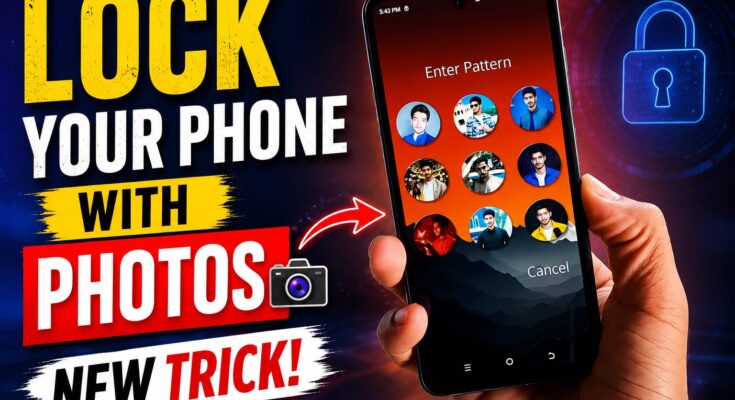
Are you looking for a unique way to customize your smartphone lock screen? A Photo Pattern Lock Screen is an interesting option for users who want to make their phones look more attractive while exploring different unlocking methods.
Many Android users search for Photo Pattern Lock Screen apps because they want to use their favorite pictures, create personalized lock screens, and enjoy a different experience from traditional PINs and patterns.
In this article, you will learn what a Photo Pattern Lock Screen is, how it works, how to set it up on Android, its benefits, and important security tips.
What Is a Photo Pattern Lock Screen?
A Photo Pattern Lock Screen is a type of mobile customization that uses a photograph as part of the lock screen design or unlocking process.
Depending on the application, you may be able to select an image from your gallery, tap specific points on the picture, or create a pattern using the image as a background.
For example, you could choose a photograph of a flower, a landscape, or your favorite pet. Some apps let you interact with selected areas of the picture, while others simply display your photo behind a conventional pattern or PIN interface.
The available features depend on the application and your smartphone.
Important: A photo-based lock screen is not automatically more secure than your phone’s built-in screen lock. Keep your Android security settings enabled to protect your personal information.
How Does a Photo Pattern Lock Screen Work?
A Photo Pattern Lock Screen generally combines an image with an unlocking interface.
First, you select a photograph from your device. Next, you configure the available unlocking method, such as tapping specific points or drawing a pattern. When you activate the application, it displays the configured interface.
After entering the correct pattern or PIN, you can continue using your phone.
However, some third-party applications only display a lock screen overlay rather than replacing Android’s system-level security. Their functionality can vary between devices and Android versions.
How to Set Up a Photo Pattern Lock Screen on Android
Follow these simple steps to explore photo-based lock screen customization.
Step 1: Check Your Phone Settings
Open Settings on your Android phone and look for Lock Screen, Personalization, Wallpaper and Style, or Security.
Your smartphone may already offer wallpaper customization and other lock screen features without requiring another application.
Step 2: Find a Photo Lock Screen App
If you need additional features, search the Google Play Store for terms such as Photo Pattern Lock Screen, Picture Password Lock Screen, or Photo Lock Screen.
Before downloading an app, check its developer information, recent reviews, compatibility, and privacy policy.
Step 3: Install and Open the App
Install your chosen application and follow its setup instructions. Some applications request permissions to access photographs or display content over other apps.
Only grant permissions that are necessary for the application’s intended functionality.
Step 4: Select Your Favorite Photo
If the app supports custom photographs, select an image from your gallery. You can choose a landscape, a pet photo, or another picture that suits your style.
Choose an image that looks good on your screen and is easy for you to recognize.
Step 5: Create Your Pattern
Follow the application’s instructions to configure your photo-based unlocking method, if supported.
Choose a pattern that is easy for you to remember but difficult for others to guess.
Step 6: Test Your Settings
Lock and unlock your phone to check how the application works. Confirm that your normal Android screen lock remains active and that the app behaves correctly after restarting your device.
Benefits of Photo Pattern Lock Screen
A Photo Pattern Lock Screen offers several potential benefits for smartphone users.
1. Personalized appearance: You can use your favorite photographs to make your lock screen more personal.
2. More customization: Some apps offer different wallpapers, clock styles, animations, and pattern designs.
3. Unique unlocking experience: Certain applications let you interact with a photograph instead of using a standard pattern grid.
4. Easy photo changes: Supported applications allow you to change the selected image whenever you want.
5. Attractive design: Combining a personal photograph with a matching clock and wallpaper can give your smartphone a distinctive appearance.
Keep in mind that these features depend on the application you choose.
Photo Pattern Lock Screen vs. Traditional Pattern Lock
A traditional pattern lock is usually integrated into Android’s security system, while a photo-based lock screen may be a customization feature provided by a third-party application.
Traditional pattern locks provide a familiar unlocking method. Photo Pattern Lock Screen apps may offer more visual customization, but their security depends on how they are implemented.
If your priority is protecting private information, use your phone’s built-in PIN, password, fingerprint, or other supported security features.
Is Photo Pattern Lock Screen Safe?
The safety of a Photo Pattern Lock Screen depends on the application and its permissions.
Before installing an app, follow these precautions:
- Download apps from trusted sources.
- Check recent reviews and developer information.
- Review the permissions requested by the app.
- Avoid apps that request unnecessary access to sensitive information.
- Keep your phone’s built-in screen lock enabled.
- Uninstall applications that behave suspiciously.
Never share your phone’s PIN or password with an untrusted application. A decorative lock screen should not replace your device’s primary security protection.
How to Remove a Photo Pattern Lock Screen
If you no longer want to use the application, open its settings and disable its lock screen feature if available.
Next, check your Android settings for special permissions granted to the app, such as display-over-other-apps or accessibility access. Revoke unnecessary permissions and uninstall the application.
If you changed your phone’s system lock settings, open Security or Screen Lock in Settings and restore your preferred protection.
Frequently Asked Questions
1. What is a Photo Pattern Lock Screen?
It is a mobile customization feature that uses a photograph as part of the lock screen design or unlocking experience.
2. Can I use my own photo?
Yes, many photo lock screen apps support custom pictures, although the available features vary.
3. Is Photo Pattern Lock Screen free?
Some applications are free, while others include advertisements, subscriptions, or paid features.
4. Does it work on every Android phone?
No. Compatibility depends on the application, Android version, and smartphone manufacturer.
5. Is it more secure than a normal pattern lock?
Not necessarily. Keep your phone’s built-in security enabled for reliable device protection.
6. Can I use it on an iPhone?
You can customize your iPhone wallpaper and lock screen, but third-party apps cannot freely replace the iOS system lock screen.
Conclusion
A Photo Pattern Lock Screen is a useful option for people who want to personalize their smartphones with photographs and explore alternative unlocking interfaces.
You can start by checking your phone’s built-in settings or finding a suitable Android application through the official Google Play Store. Before installing an app, review its features, permissions, and compatibility.