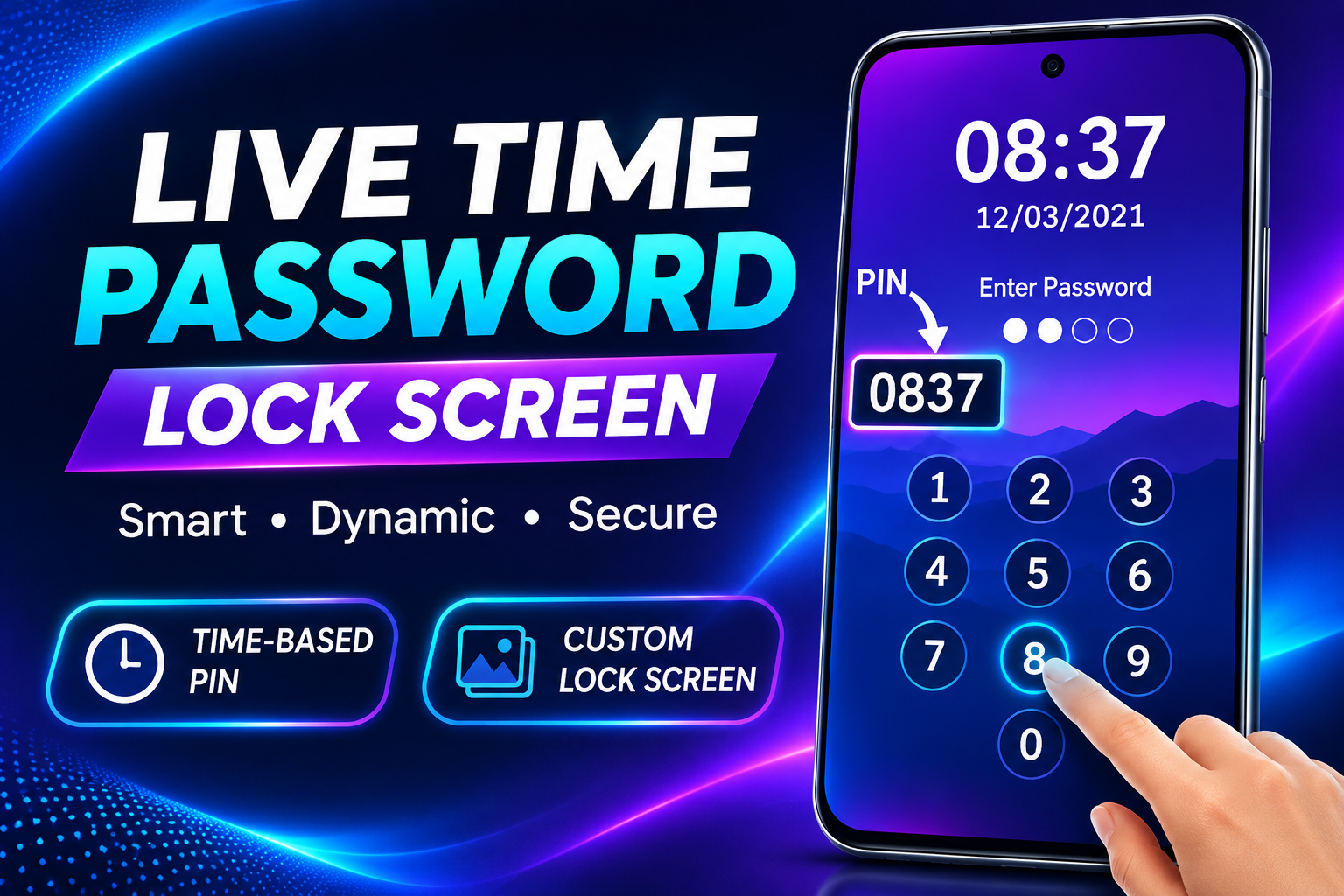
In today’s digital world, protecting your smartphone is more important than ever. Our mobile phones contain personal photos, private messages, important documents, social media accounts, and sensitive information. Keeping this information safe requires a reliable screen lock. Live Time Password Lock Screen is an Android application that offers a unique way to protect your phone using a password based on the current time.
If you are looking for a smart, convenient, and customizable mobile security solution, this application may be worth exploring. It combines time-based password functionality with traditional security features to provide an alternative way to lock and unlock your smartphone.
What Is Live Time Password Lock Screen?
Live Time Password Lock Screen is an Android application designed to protect your smartphone with a dynamic password. Unlike a traditional fixed PIN, its time-based password feature can use the current time as part of your unlocking code.
The application also provides additional features, including customizable lock screen wallpapers, fingerprint support on compatible devices, unlock sounds, vibration settings, and different password configurations.
Its main purpose is to provide an additional layer of privacy while making the phone’s locking experience more convenient.
How Does Live Time Password Lock Screen Work?
The application uses the current time to create a password according to the selected security settings. This means your unlocking code can change as the clock changes.
For example, if you select a four-digit time password and the current time is 10:25, the password may be 1025.
Some configurations also allow users to combine a personal PIN with the current time. For example, if your selected PIN is 45 and the current time is 02:37, the resulting password could be 450237.
These examples depend on the password configuration selected inside the application.
This dynamic password system can make your lock screen more interesting and potentially less predictable than using a simple, unchanged PIN.
Best Features of Live Time Password Lock Screen
1. Dynamic Time-Based Password
The most interesting feature is its live time password functionality. Users can configure their password using the current time, creating a changing unlocking code.
This feature provides an alternative to conventional screen lock methods and can make everyday phone unlocking more convenient.
2. Custom PIN Protection
Users can combine a personal security PIN with the current time. This option allows additional customization and makes the password more personal.
However, always choose a PIN that is difficult for other people to guess.
3. Custom Lock Screen Wallpapers
The application allows users to customize the lock screen background with attractive wallpapers.
You can select a background that matches your personal style and make your smartphone look more appealing.
4. Fingerprint Support
The application lists fingerprint support for compatible devices.
Fingerprint unlocking can provide a convenient way to access your smartphone without repeatedly entering a password.
Availability and functionality may depend on your Android version and device configuration.
5. Break-In Alerts
The application advertises break-in alerts that can help users identify unsuccessful unlocking attempts.
This feature may be useful for people who want additional awareness of attempts to access their phone.
6. Screen Lock Convenience
The application also offers software-based screen controls that can help reduce frequent use of the physical power button.
This can be convenient for users who prefer using an on-screen control to turn their phone screen off.
Why Should You Try a Time Password Lock Screen?
A time-based lock screen can be useful for users who want something different from a traditional PIN.
Its changing password functionality provides an alternative unlocking experience, while customization options allow users to personalize their smartphone.
The application may be particularly interesting for Android users who enjoy exploring security tools and customizing their device.
However, a changing password does not automatically guarantee stronger security. Your overall protection depends on the password configuration, application permissions, Android security settings, and whether the lock screen works reliably on your device.
Is Live Time Password Lock Screen Safe?
Before installing any security application, it is important to review its permissions, privacy policy, developer information, and recent user reviews.
The application’s Google Play listing provides information about its features and developer-reported data practices. It also indicates that data is not encrypted, so users should carefully review the privacy information before relying on it for sensitive information.
For better protection, keep your Android system updated and use your phone’s built-in PIN, password, or biometric security as your primary protection.
Final Words
Live Time Password Lock Screen is an interesting Android application for users who want a customizable lock screen with dynamic time-based passwords.
Its features include time password functionality, custom PIN combinations, fingerprint support, attractive wallpapers, break-in alerts, and convenient screen controls.
If you enjoy personalizing your smartphone and exploring alternative lock screen applications, Live Time Password Lock Screen may be worth checking out.
Remember that your phone’s built-in security should remain your primary protection. Always review application permissions and privacy information before installing any third-party lock screen tool.