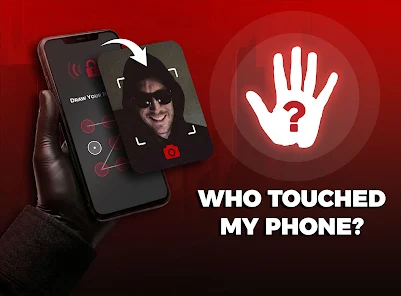
If you’ve ever wondered who unlocked or tried to access your smartphone while you were away, the Who Touched My Phone? app can help. In this review by VikiAPK, we’ll explore its features, performance, and whether it’s worth installing on your Android device.
What is Who Touched My Phone?
Who Touched My Phone? is a security app designed to detect unauthorized attempts to unlock your smartphone. It can capture a photo of the person after failed unlock attempts (if permissions are granted), record the time of access attempts, and help you know if someone tried to use your phone without permission.
At VikiAPK.com, we recommend using apps like this to improve your device security while respecting others’ privacy.
Key Features
- Detects failed unlock attempts
- Captures a photo after incorrect password or PIN entries (with permission)
- Records the date and time of access attempts
- Easy-to-use interface
- Lightweight and battery-friendly
- Works on most Android devices
Pros
- Simple setup
- Helpful security features
- Fast performance
- User-friendly design
- Good for protecting your personal device
Cons
- Some advanced features may require a premium version
- Performance can vary depending on the Android version and device manufacturer
- Requires camera and security-related permissions to function properly
Is It Safe?
Yes, if downloaded from a trusted source such as the Google Play Store. Always review the app’s permissions before installing and keep your Android device updated for better security.
Final Verdict
Who Touched My Phone? is a useful Android security app for users who want to know if someone has tried to access their phone. With features like failed unlock detection and photo capture (where supported), it adds an extra layer of security for your personal device.